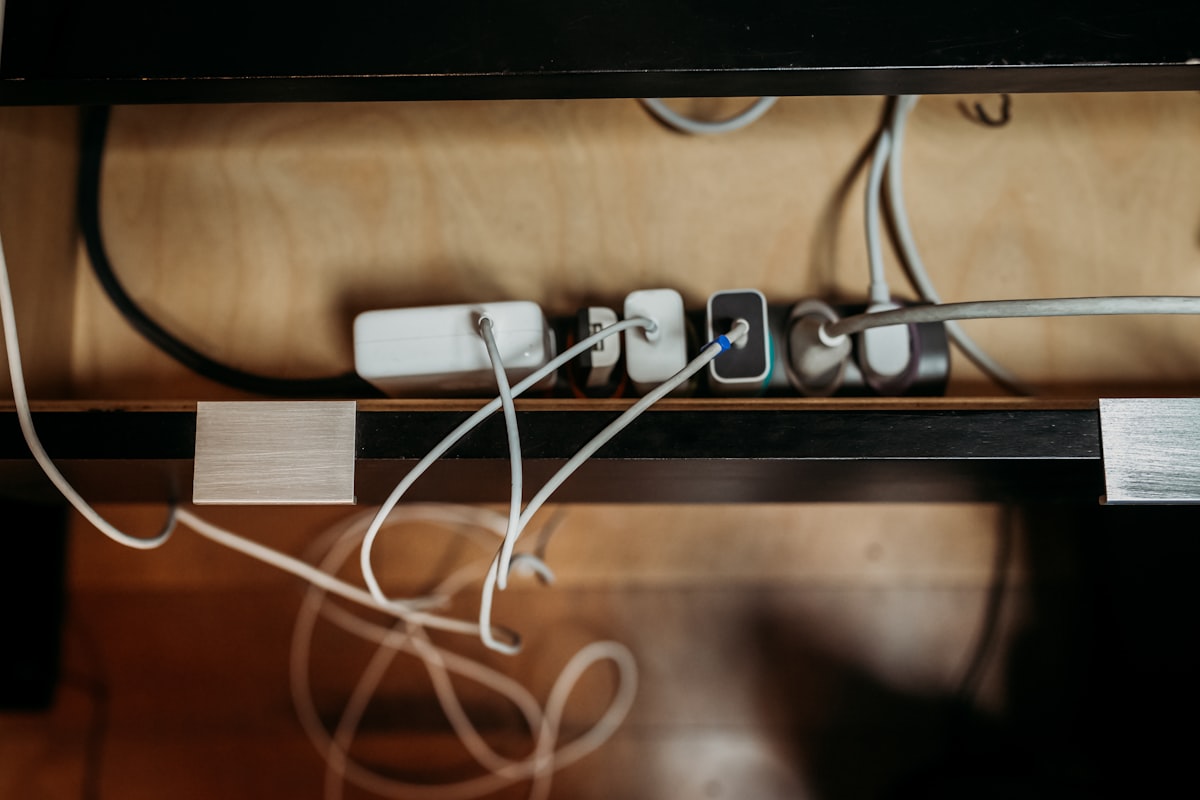
TL;DR: Smart power strips cut the exact same phantom load that a disciplined person unplugging by hand would — the savings come from interrupting the circuit, not from anything "smart" about the strip. Their real value is consistency: automating what most people won't do by hand every night, for roughly $10–35 a year on a typical entertainment center.
What Phantom Load Actually Is
Phantom load (also called standby power or vampire power) is the electricity a device draws while it's technically "off" — powering an always-on remote sensor, a clock display, a quick-start circuit, or a partial standby mode. Research on standby power, most notably decades of work out of Lawrence Berkeley National Laboratory, established that idle electronics account for roughly 5–10% of residential electricity use in a typical US household. That's not a rounding error; it's often $100–200 a year in electricity paid for devices doing nothing useful.
Not all phantom load is equal. Some rough, real-world ballpark figures for common devices:
- Cable box / DVR — commonly 15–35W nearly around the clock. This is usually the single biggest offender in a home, because providers design most boxes to never fully power down so they're always ready to record.
- Game console in "instant-on" standby — roughly 10–15W, sometimes more with a disc still in the drive.
- Desktop computer asleep — roughly 2–5W.
- Inkjet printer in standby — roughly 2–6W.
- TV in standby — roughly 1–3W on most modern sets.
- Phone or laptop charger plugged in with nothing attached — under 0.5W on any charger made in the last decade or so; older, pre-Energy Star chargers were meaningfully worse.
Notice the pattern: it's rarely one device draining your bill, it's a cluster of five or six low-draw items running 24/7/365 that adds up.
What a Smart Power Strip Actually Does
Smart strips fall into two categories. Master/slave strips (Belkin Conserve, several Poweradd and Tripp Lite models) monitor the current draw on one "master" outlet — typically the TV or PC — and cut power to the "slave" outlets when the master goes to sleep or off. Plug your console, soundbar, and streaming stick into the slave outlets and they lose power the moment the TV does. Wi-Fi smart plugs (TP-Link Kasa, Amazon Smart Plug, Wemo) instead let you set a schedule or app-based on/off control — useful for things like holiday lights or a router you want to reboot nightly, but they only cut phantom load if you actually configure and stick to a schedule.
Here's the part worth being blunt about: the electricity flowing through the strip doesn't know or care whether a relay switched it off automatically or a human pulled the plug. A smart strip doesn't generate extra savings beyond what the interrupted circuit itself represents. It automates the interruption — that's the entire value proposition.
Manual Unplugging vs. Smart Strip: The Actual Difference
Both approaches save identical electricity per watt-hour interrupted. The gap between them is behavioral, not electrical. Energy-efficiency researchers have long noted that interventions requiring a repeated manual action — remembering to unplug six separate cords every night — have much lower long-term compliance than interventions that happen automatically once configured. Most people who intend to unplug their entertainment center each night stop doing it consistently within a few weeks. A smart strip removes that willpower requirement entirely.
That makes a smart strip genuinely worth it when: you have several co-located devices you routinely forget to unplug (a game console, soundbar, and streaming box clustered around a TV is the classic case), or you want to avoid accidentally cutting power to things that need to stay on 24/7 — a router, modem, or DVR should never go on a slaved outlet, since losing power resets them and can cause missed recordings or a lost internet connection until they reboot.
Manual unplugging remains perfectly adequate when you're dealing with one or two items and you're already disciplined about it — unplugging a laptop charger at your desk each evening costs nothing and doesn't need a $25 gadget to automate.
Real-World Savings Math
Take a typical home-theater cluster: TV, game console, soundbar, and streaming stick drawing a combined 20–30W in standby when nobody's using them. Left connected 24/7 at, say, 25W average, that's roughly 219 kWh a year (25W × 24h × 365 ÷ 1000). At a US average residential rate in the neighborhood of $0.16–0.17 per kWh, that's about $35–37 a year in pure phantom load from one cluster of devices.
A decent smart strip costs $20–40 once. If it reliably captures that phantom load every single night — which manual unplugging usually doesn't, in practice — it pays for itself in well under a year and keeps saving after that. The honest calculation isn't "smart strip vs. free unplugging"; it's "guaranteed savings vs. savings that depend on you actually doing the chore, every night, for years." For anyone who's tried and failed to keep up a nightly unplugging habit, that's the entire case for spending the $20.
What to Look for If You Buy One
Not every smart strip is worth the money. A few things actually matter when choosing one:
- Surge protection rating — look for a joule rating (commonly 900–2,000+ joules on decent strips) and UL listing. Some ultra-cheap "smart" strips skip real surge protection entirely to hit a lower price point, which defeats a second purpose most people expect a power strip to serve.
- Number of always-on outlets — you need at least one or two outlets that never switch, for the router, modem, or anything else that must stay powered continuously. A strip with only switched outlets forces you to plug always-on devices into a separate outlet anyway.
- Threshold sensitivity — master/slave strips detect "off" by current draw dropping below a threshold. Some budget models trigger unreliably, either cutting power to peripherals while the TV is still technically drawing a trickle, or failing to cut at all. Reviews that specifically mention reliability with your TV or console brand are worth more than the spec sheet.
None of this changes the core math above — it just determines whether the strip you buy actually delivers the consistency that's the entire point of buying one instead of just unplugging by hand.



Reviews & Comments
Loading...